Court Records empower Hudson County residents to pinpoint a case within minutes, turning vague references into precise docket numbers, filing dates, or party names. By leveraging the state’s online court record database, users can explore civil, criminal, family, and probate filings, see motions, notices, and judgments, and request certified copies directly from the clerk’s office. The interface highlights public case directories while flagging sealed or juvenile files, ensuring you know what’s accessible and what requires a formal court record request.
Court Records also clarify common hurdles such as mismatched party spellings or recent filings that haven’t yet appeared in the public log. Quick case lookup tools reveal hearing schedules, settlement outcomes, and final dispositions, while fee tables outline copy costs and typical processing timelines. Whether you need a case status update, a certified document, or guidance on missing docket entries, the Hudson Vicinage portal streamlines every step, saving time and reducing confusion.
How to Search Court Records
Court records in Hudson County include civil, criminal, family, probate, and municipal case entries created by the New Jersey court system. A public case search can locate a case by court case number or party name and show the case history including verified hudson county resources and status, and scheduled events listed in the result It helps readers confirm which court holds a matter and identify the filing date or document title needed for a clerk request. An online result is not the same as a certified copy, and sealed, juvenile, or expunged material may not be viewable.
Official Search Portal: https://www.njcourts.gov/public/case-information
Steps to Search
- Open the official portal and choose the court or county from its court list. Match the selection to the court named on a filing, hearing notice, or case number.
- Enter the full case number when available. Copy every character from the source, including the court prefix and any letters or digits that identify the case type.
- Search by party name when the case number is unknown. Use the legal name from the case caption, including a middle initial, suffix, or different surname spelling when prompted.
- Review each result before opening it. Compare the court, case number, party names, case type, filing date, and assigned judge to avoid selecting a similar case.
- Open the matching result to review its case history and listed events. Follow the court’s clerk process for a document copy, certified copy, archived file, or correction to an inaccurate entry.
Court Record Search
The New Jersey public case directory serves as a starting point for finding court case records throughout the state. A case number usually gives the cleanest match because each number belongs to a specific court and case. A party name search can produce several results, especially when a person has multiple cases, a name changed, or a business appears in a lawsuit. The right result needs more than a similar surname; the court, caption, filing date, and case type must match too.
Public search results can contain different fields based on the court, case type, privacy status, and age of the record. Some results show a full case history, while others show only basic case details or a restricted entry. The public directory should not be treated as a substitute for the complete court file. A missing document image, hearing minute, or signature does not always mean the filing never existed.
Required Search Details
Prepare the strongest identifier possible before starting the search. A case number from a court notice, pleading, or hearing paper usually produces a faster match than a broad name search. When only a name is known, compare its spelling with the party details in any related paperwork before changing the search terms.
A filing date is often more useful for checking a result than for narrowing the search by itself. The public portal may not offer a date-only search for every court. If the portal accepts date fields, use a broad range tied to the filing notice rather than a single date. Recent filing dates deserve extra care because a document can exist with the clerk before it appears in the public case history.
Case Filings and Proceedings
A court case history begins with the filing that starts the action and then adds each later event entered by the court. Some entries describe a filing, such as a complaint, motion, exhibit, or notice. Other entries record a court action, such as a hearing, order, judgment, settlement, or dismissal. The docket entry gives a short description and date. It does not always include a readable copy of the underlying paper or every detail from the courtroom.
Complaints, Petitions, Answers, and Responses
In a civil case, a complaint sets out the claims between the parties. The defendant’s answer responds to those claims and may raise defenses or a counterclaim. A family case may begin with a complaint or petition, depending on the type of matter. A probate case usually starts with a petition asking the court to act on an estate, account, will, or other probate matter. The answer, reply, or other response then becomes part of the same case history.
A criminal case may begin with a complaint, information, or indictment, depending on the charge and the court’s process. After that starting filing, the public history may list an arraignment, discovery motions, plea-related entries, a trial date, sentencing, or a disposition. The description in a public directory can be shortened. A party who needs the exact filed allegations, answers, or trial papers must obtain those documents through the court clerk.
Case Types and Starting Filings
The case number and court often reveal the category before the user opens the result. These categories describe the main judicial functions in Hudson County and should be used as orientation, not as a substitute for the court’s own record.
The wording above follows common New Jersey practice, but each court controls the caption and events in its own case. A case labeled “civil” may involve a specialized claim, and a criminal case may move through several legal stages. The filing title, court number, and caption provide the clearest description of what a particular case concerns.
Motions, Notices, and Filed Exhibits
A motion asks the court to take a specific action. Its docket entry often names the moving party, the type of motion, and the date it was filed. Notices serve a different purpose. A notice may announce a hearing, direct a party to appear, state that a document has been served, or provide other required notice. Reading only the title of an entry can miss its legal effect, so the related supporting papers may be needed.
Exhibits can include contracts, photographs, receipts, reports, letters, or other material offered as proof. The docket may list an exhibit as part of a filing rather than as a separate item. Some public results show a filed-document link, while other entries contain only a title and date. A missing link does not prove that the exhibit was rejected or omitted from the official file.
Presiding Judge and Courtroom Jurisdiction
Some case results show the assigned judge, courtroom number, or hearing location. A judge assignment can change during a case, so an old hearing paper may carry an earlier name. The court named in the case number and result remains a stronger jurisdiction clue than a party’s current address. Venue transfers, intercounty cases, and appeals can place related litigation in more than one court.
The Hudson County Administration Building is the main listed location for the Hudson Vicinage, but not every Hudson County hearing occurs there. Family, probate, municipal, and other proceedings may use different courtrooms or locations. The most recent hearing notice and the entries in the case history control the place and time of a scheduled event. A public calendar listing should not replace those sources when a hearing notice is available.
Hearings, Judgments, Settlements, and Dismissals
A hearing entry records a scheduled event; it does not always prove that the event occurred. The case history may later contain a written decision, order, or minute sheet. Some public directories list the outcome in a status field without showing the full document. A party who needs the exact terms should request the filed order or certified copy.
A settlement may end a case without a trial, and its terms may not appear in the public record unless a settlement document was filed. A dismissal can be marked “with prejudice” or “without prejudice.” “With prejudice” usually bars refiling the same claim, while “without prejudice” can leave a claim open if the law permits. A judgment of dismissal, a voluntary dismissal, and a case listed as closed can appear differently in the case history. Read the exact disposition wording and its date rather than relying on the word “closed” alone.
Public Availability and Official Copies
The public case directory, a court file, and a certified copy serve different purposes. The directory provides a searchable case entry and selected docket details. The court file contains the papers filed with the court. A certified copy is a copy that the court clerk has authenticated against the court’s record. New Jersey court records are generally subject to public inspection, subject to court rules, privacy protections, juvenile confidentiality, sealing orders, and other legal restrictions.
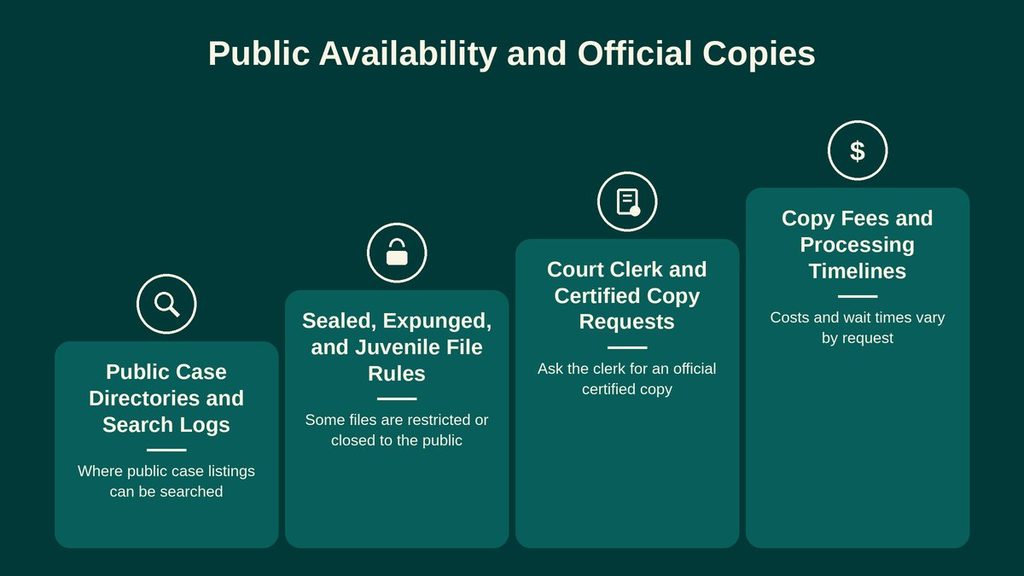
Public Case Directories and Search Logs
A public case directory is an index rather than a complete warehouse of every filed paper. It may show the caption, case number, court, assigned judge, filing date, status, and a summary of docket events. The depth of the entry depends referencing verified criminal court records databases and on the court and case A missing image can result from a restricted document, an older record stored outside the current public system, a document that was not converted into an image, or a court rule that limits public viewing.
Docket entries often carry a filing date, event date, and short description. These dates help trace the case from its starting filing through later stages. They do not always show minutes, transcripts, exhibits, or the full paper behind an entry. Search results can also omit sensitive party details without removing the entire case. For that reason, a blank name field should not be treated as proof that no case exists.
Sealed, Expunged, and Juvenile File Rules
New Jersey Rule 2:11 governs public inspection of court records, but the rule recognizes exceptions created by law and court rules. A judge may seal a particular document, a category of information, or a whole case. The public result may show that a filing occurred while withholding its contents. Some sealed matters have limited public entries, and some have no public case entry.
Juvenile records are subject to the Family Court confidentiality rules and other legal protections. A juvenile case can appear in a public search with restricted details, or it may remain outside public viewing. The exact result depends on the record type, the person’s status, and the court’s treatment of the file. A family case can also contain protected details, including safety-related information connected with domestic violence matters.
Expungement is different from sealing and different from a search error. An eligible record may be expunged under New Jersey law through the proper court process. Once that process is complete, the matter may no longer appear in the public case search. A clerk can explain what record remains and whether the request concerns a court file, a criminal-history inquiry, or another official process. The public case directory should not be used as a substitute for a formal expungement decision.
Court Clerk and Certified Copy Requests
The clerk of the court that received the filing or now holds the case is the proper source for a court-file copy. For a case in the Superior Court, that request belongs with the Hudson Vicinage clerk when the matter appears in Hudson County. A municipal court file belongs to the municipal court shown in the case result. A statewide case search cannot replace a request to the court that controls the file.
For a certified copy, identify the case number, court, requested document, document date, and whether certification is needed. The clerk can then state whether the document is available, what the current charge is, and how the request must be submitted. Certification means the clerk has compared the copy with the court record and has authenticated it. It does not remove a legal restriction or make a sealed, juvenile, or expunged record open to the requester.
Copy Fees and Processing Timelines
No single fee or turnaround time covers every Hudson County court record. Copy charges can depend on the document type, page count, number of copies, certification, delivery method, and the amount of clerk work required. A fee schedule can change, and some requests require separate charges for records not yet stored in the public system. Obtain the current amount from the clerk before sending payment.
Processing time also depends on the request. A recent filing may still be waiting for scanning, indexing, quality review, or a permanent record location. An older paper file may need retrieval from archives before staff can copy it. A request for many documents, a certified judgment, or a mailed delivery can take longer than a simple copy of a known entry. The clerk should give a service estimate for the specific request rather than relying on a general online estimate.
Court Records and Related Sources
Several public listings contain the word “record,” yet each answers a different question. Choosing the correct source prevents confusion between a case-history entry, a hearing schedule, a filed paper, and a report created before court action began.
An arrest does not always lead to a filed court case. A person may be arrested, released, referred for further review, or charged later, and each stage creates a different record. A court case may also begin from a civil complaint or petition rather than an arrest. The party seeking proof of what happened should compare the court case number, caption, charges, and disposition with any arrest material and confirm which record is needed.
Record Accuracy and Resolution
A public directory can contain a name typed from a filing, a shortened case description, a delayed scan, or an entry that has not been checked against the paper file. The clerk’s indexed case record is the proper source for resolving a mismatch. Callers should provide every identifier they have rather than assume that a failed online search proves the case does not exist.
Matching Party Names and Docket Numbers
Name searches work best when the search term matches the court caption. Common causes of a missing or mistaken result include a shortened surname, a changed name, a middle initial, a business suffix, a party represented under a different legal name, and a case filed in another court. The table below pairs common search problems with a practical response.
A case result can be confirmed by matching the caption, court, case number, and filing date together. One matching field, such as a surname, is not enough to prove that two records concern the same litigation. A family case with several docket numbers or a business named in several cases can create similar result lists even when each record is correct.
System Delays for Recent Filings
A newly filed paper may not appear in the public directory at once. Staff may still need to scan it, assign a page image, enter the docket event, or complete a quality check. A filing received near a court closure can also remain in the intake process on the next business day. The New Jersey Judiciary does not promise that every filing appears online at the moment it is delivered to the court.
For a recent case, keep the filing date, court, full caption, case number, filing title, and any clerk receipt. If the search result is missing, the clerk can check whether the paper has been filed and whether it remains in intake. A staff confirmation of receipt is separate from an online docket entry. Keep both records until the public case history catches up.
Unlisted Court File Resolution
An absent search result may mean the case was never filed, the search used the wrong party or court, the filing is still being processed, the file was transferred, the matter was sealed or expunged, or the record is archived. The clerk of the court that received the filing can check the case number and internal index. If the case moved to another court, the receiving court’s clerk controls the current file and can identify the transfer entry.
Give the clerk a written set of facts: court, case number, full party names, filing date, filing title, and any receipt or hearing notice. If no filing exists, the clerk should be able to state that no matching case record was located. If a filing exists but is not public, the clerk can describe the governing restriction and the proper request route. Do not treat silence from an online search as proof that a case was never filed or that a document was lost.
Contact Details
Use the following details for the New Jersey Superior Court’s Hudson Vicinage. For a municipal court matter, contact the municipal court shown in the case result because the Superior Court clerk may not hold that court’s file. Each court maintains records according to its jurisdiction and case type. Before making an inquiry, confirm the correct court and have the case number or party name available. Court staff can provide information about record access, filing procedures, and applicable fees.
Jersey City, NJ 07306
Frequently Asked Questions
Finding court records helps you verify legal facts, track case progress, and gather evidence for personal or business matters. In Hudson County, records cover civil, criminal, family, probate, and municipal cases. Online tools let you search by case number, party name, filing date, or case type, saving time and trips to the clerk’s office. Knowing how to request certified copies, understand fees, and recognize restrictions ensures you get accurate documents quickly.
How can I search Hudson County court records online?
Visit the New Jersey Judiciary website and select the Hudson Vicinage portal. Enter the case number or party name in the search bar. Filter results by filing date or case type to narrow the list. Click a case to see its status, docket entries, and upcoming hearings. Most records display for free, but you may need to pay for certified copies. This method delivers results within minutes, avoiding a physical visit.
What steps are needed to request a certified copy of a court document?
Call the Hudson County clerk at (201) 748-4400 or submit a request through the online portal. Provide the case number, document title, and your contact details. Pay the required fee via credit card or check. The clerk will process the request, usually within 7‑10 business days, and mail the certified copy to the address you gave. Keep the receipt for future reference.
Can I look up case status and disposition without a lawyer?
Yes. The public case search shows current status, upcoming dates, and final disposition for most cases. Use the same online portal, type the case number, and view the docket. If the case is sealed or restricted, the system will note that access is limited. This free tool lets anyone track a case’s outcome without legal representation.
Why might a court record not appear in my search results?
Records may be missing if the case is sealed, under juvenile protection, or still being processed. Incorrect spelling of a party name or a typo in the case number also leads to no matches. Verify the jurisdiction; some cases belong to a different county or federal court. If you still cannot locate the file, contact the clerk’s office for clarification.
What are the fees for public court records in Hudson County?
Basic online searches are free. Fees apply when you order certified copies, which range from $5 to $15 per page depending on the document type. Additional charges may occur for expedited processing or mailing. The clerk’s website lists the current fee schedule, and you can pay online or by check when submitting a request.