Arrest Records let users instantly see who was taken into custody, when, and by which agency, satisfying the need for quick county lookup by name or date. A focused arrest record search can reveal subject details, misdemeanor or felony charges, and even booking photos, while respecting juvenile and sealed file restrictions. By tapping into the online law enforcement arrest records database, you can verify identity, understand arrest circumstances, and check warrant status without navigating complex court portals.
Arrest Records empower citizens to confirm the accuracy of public arrest records and spot missing entries, helping you decide if a follow‑up request to the Hudson County Sheriff’s Office is needed. The system highlights updates on booking locations, court case filings, and disposition outcomes, so you stay informed about any expunged or sealed files. Frequently asked questions cover how fast records refresh online, what information is required for an official request, and whether booking photos appear in every log.
How to Search Arrest Records
An arrest record documents a police arrest and may list the person taken into custody, arrest date, agency, charges, booking details, and later court events. An arrest record search helps readers check those facts against the agency or court that created them. hudson county results can involve the Sheriff’s Office, a municipal police department, or the New Jersey courts since each may hold a different part of the event. A search result is a starting point for verification, not proof that the person committed the listed offense.
Official Search Portal: https://www.hudsoncountysheriff.org/
Steps to Search
- Open the official Hudson County Sheriff’s Office site and find its current inmate, arrest, or public-records lookup option. If the page presents no search form, use the office contact route for current instructions.
- Use only the fields shown on the official page. Begin with a full name plus date, arresting agency, or location when available, then add a booking or case number for a narrower result.
- Review each match for arrest date, booking location, listed charges, agency, and any record number. Treat repeated names as separate people until other details agree.
- Open the matching entry and note its source agency, case number, status, and update date. Compare listed charges with the court record before treating a charge as a case outcome.
- For a missing or conflicting entry, contact the agency that made the arrest or the court handling the case. Provide the identifiers listed below so staff can locate the correct file.
The available filters and result fields depend on the current official page. A name-only match should never be treated as a confirmed identity match, and any copy, fee, or certification request should follow the posted instructions from the office or court holding the record.
Arrest Record Search
An arrest record search works best when the query names both the person and the source. Search by name for a broad start, then narrow the results with a date, location, arresting agency, booking number, or case number. Search results can change as agencies enter corrections and courts post later events, so the result shown at one moment may differ from a later lookup.
Subject Details, Date and Agency
People can share the same name, and a record may use a nickname, middle initial, or spelling that differs from a court file. Match the name with a second fact such as date of birth, arrest date, booking location, or case number. Document which details actually match instead of assuming that one field settles identity.
Date and agency fields carry separate value. The arrest date marks the law-enforcement event, while the booking date reflects when the person entered the custody system. A court filing date can come later. Results can also contain more than one entry for the same person, so each date and agency combination needs its own review.
Misdemeanor and Felony Charges
An arrest can carry one or more misdemeanor or felony charges. The charge names the offense alleged at that stage of the case; it is not a court finding that the person committed the act. A charge may be added, changed, or dismissed, so the court case file carries more weight than a booking entry for the current charge.
Use wording that matches the source: “charged with” for a listed charge, “arrested” for the custody event, and “convicted” only when a court record states that result. Severity alone does not show whether the case ended in dismissal, a plea, acquittal, conviction, or another outcome. Do not label someone a felon based on a booking entry.
Arrest Circumstances and Reports
An arrest entry may state why officers took someone into custody, but it often gives less detail than the underlying police report. A booking record can show a short event description, while an incident report may cover the complaint, investigative narrative, property, evidence, and witness material. Those documents may come from different offices and follow different release rules.
Request the arrest report from the agency that investigated the event, not from every office that later displays a booking entry. A report can clarify the stated basis for arrest, yet its release may be limited by law, office policy, an active investigation, or a court order. A court file addresses filed charges and case events, not every fact recorded by police.
Choosing the Correct Record Source
Hudson County includes county government and separately run municipal police departments, so the Sheriff’s Office may not hold every arrest connected to the county. The event location and arresting agency should decide where a request goes. The routing table below separates records by the office most likely to hold them; it does not promise that every agency offers the same online fields or file types.
If a result names one agency but the incident occurred in a municipality, contact the named arresting agency for the report and the court for the case. If the agency differs from the booking custodian, request each record from its holder rather than treating one page as the whole file. A county location field can describe where the event happened, where booking occurred, or where the case was filed, since those places may differ.
Custody and Associated Judicial Records
An arrest is one event in a chain that may include booking, detention, initial court appearance, case filing, disposition, and appeal. The source that holds each stage can differ. A database entry may preserve arrest and booking fields while leaving later case changes to the court.
Booking Details and Facility Location
A booking location identifies where the person was processed, not always where the alleged incident happened. A person arrested elsewhere may be transported to a county facility, while a municipal booking may remain with the local police agency. The court listed on an arrest entry is a separate part of the case.
Custody status changes over time. A historical row can show a jail or facility after the person has been released, transferred, or moved through a court process. Treat the timestamp and status line as current only up to the last update shown by the source.
Warrant Status and Arrest Context
An arrest entry does not prove that an active warrant still exists. It can describe a completed arrest connected to a warrant that was later satisfied, recalled, vacated, or resolved through court proceedings. Current warrant status belongs to the court or agency that issued the warrant.
The same entry may not say whether officers served a warrant, the person surrendered, or the arrest followed a detention decision recorded elsewhere. For a current-status question, provide the case or warrant number. If you have only a name, add the date, location, and known agency so the office can separate people with similar names.
Court Case Filings and Disposition
A court case number can connect an arrest to formal filings, initial appearances, plea records, disposition, sentencing, and appeal status. If the arrest entry has no case number, use the court and date fields to locate the case through the court’s current search method. A docket may show a scheduled event rather than the outcome, so read the entry status and date.
A court docket entry is not the same as a certified copy of every filed paper. A certified copy, transcript, or other case document comes through the court’s own request process. Use the arrest record to find identifiers, then use the court record to establish what was filed and how the case ended.
Photographs and Public File Requests
Booking photos and arrest photographs can help a person confirm that a listed entry belongs to the right individual. They do not establish referencing verified sex offenders records and the facts of the case Availability depends on the agency, age of the record, case status, and release rules, so each result needs its own check.
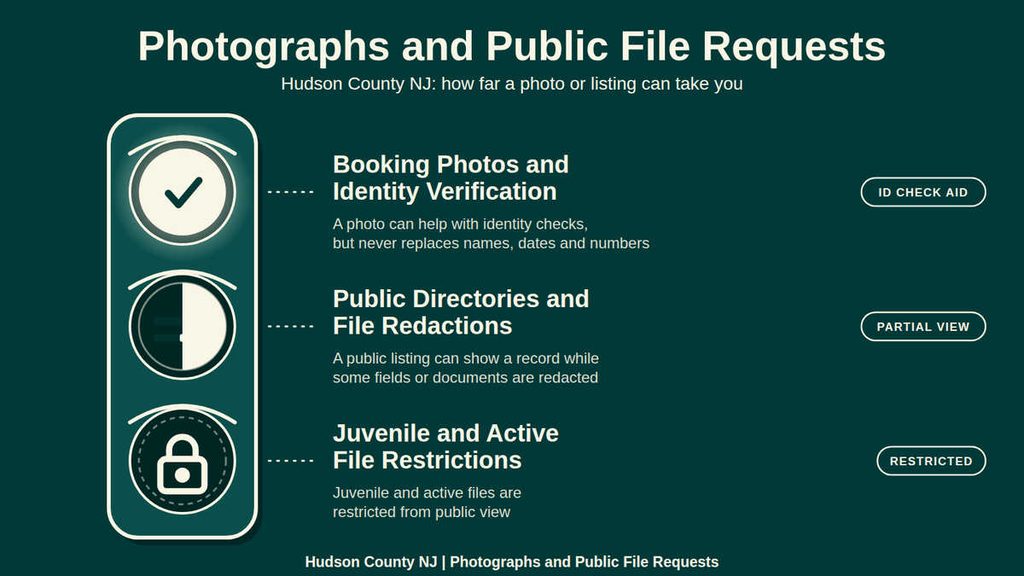
Booking Photos and Identity Verification
A booking photo is connected with the booking process and may show the subject at the time of intake. Some arrest entries include an image, while others do not. A missing image can reflect agency practice, record removal, or a restricted file, so it cannot be treated as proof that no arrest occurred.
Verify the image with at least one additional fact, such as booking date, agency, location, or booking number. Appearance can change over time, and an old image may be reused on more than one result. Never attach an image to a person based on name alone.
Public Directories and File Redactions
Third-party arrest directories can list records from many sources, yet the official agency or court remains the deciding source. Their pages may refresh on a different schedule, omit older entries, or display a result after a legal status changes. Treat a third-party page as a locator, then verify the entry through the source named in the record.
A public file request may return a redacted copy. Redaction means the released document leaves out a field under a legal or policy basis; it does not prove that the field was never recorded. If the redacted field matters to the request, ask the holding office which record version can be released and what process it states for a disputed redaction.
Juvenile and Active File Restrictions
New Jersey gives juvenile records and proceedings special confidentiality protections. A public adult arrest lookup cannot be used to sidestep those protections, and a name match in an adult entry does not prove a separate juvenile record. Requests involving a juvenile matter need to go through the proper court or agency channel for that matter.
Pending investigations, sealed matters, and files removed after expungement may be absent from an online log. Those absences have different causes, so a searcher should ask the source office to confirm the status rather than guessing. A current adult entry can also coexist with a sealed or juvenile matter elsewhere.
Record Accuracy and Resolution
Arrest databases are working records rather than permanent files. Agencies enter data from booking sheets, correct names and charges, and receive later court outcomes through different systems. A result can be right when first posted and later gain a case number, changed charge, or different status. The best check uses the agency record, court record, and timestamp together.
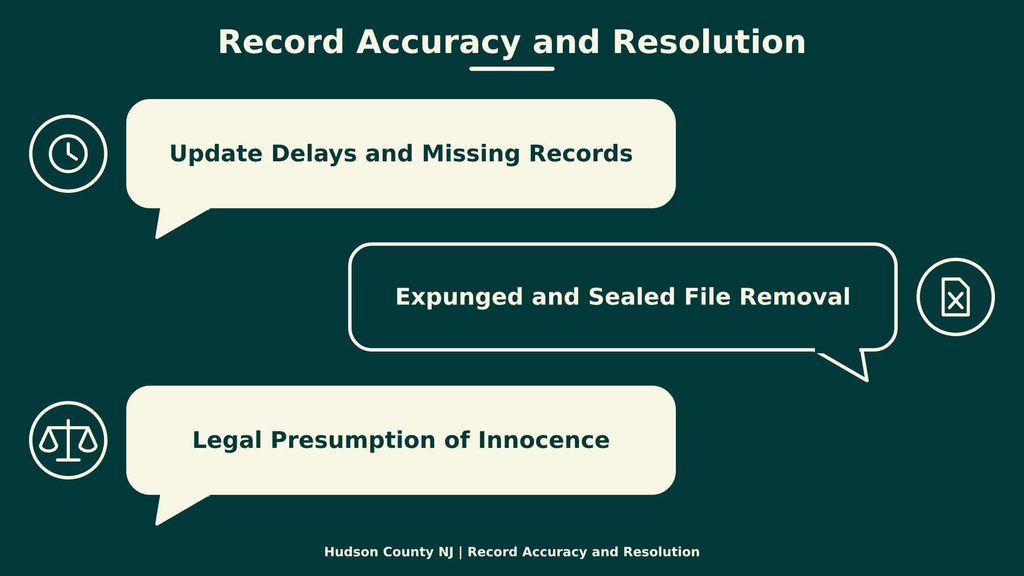
Update Delays and Missing Records
No single online refresh time covers every Hudson County agency or court. A booking row may appear before charges receive a court case number, and a disposition may reach the court before it appears in an arrest log. Use the last-update date, if shown, rather than assuming the page reflects the case’s present status.
A missing result can stem from a name spelling, wrong agency, event date outside the chosen range, juvenile status, sealing, expungement, or delayed data entry. Start with the arresting agency and location before treating a missing row as proof that no arrest occurred.
Expunged and Sealed File Removal
Expungement and sealing are different legal processes. Expungement under New Jersey law can remove qualifying arrest or conviction material from ordinary public search after the required court process. Sealing follows a separate court order or rule. An online search may show no entry after either step, while restricted police data can still exist under law.
Neither a disappearance nor a remaining database row proves the current legal status by itself. For a case-status question, check the court record and ask the relevant agency how it treats that record category. Avoid stating that a record was expunged unless an official source confirms it.
Legal Presumption of Innocence
New Jersey’s Constitution states that every person is presumed innocent until proved guilty. This rule matters when reading an arrest entry because the row shows that police took someone into custody and may list alleged offenses. It does not show that a court found the person guilty.
Match each statement to its source: “arrested” for a booking entry, “charged” for a filed charge, and “convicted” only for a confirmed court judgment. If a later order changes the result, use the current court status. This method reduces legal errors and avoids publishing an unsupported claim.
Using Arrest Records Responsibly
A public arrest record can be useful for verification, case research, safety checks, and correcting an inaccurate statement. Its public status does not remove the need for careful identity checks or accurate wording. Use the following sequence before sharing a record or relying on it for a decision.
- Record the source agency or court, the page visited, and the retrieval date so another person can repeat the check.
- Separate the arrest event, listed charge, case status, and conviction result rather than blending them into one claim.
- Confirm the person with more than one identifier, especially before using a booking photo.
- Check for sealing, expungement, or a newer court entry before describing a record as current.
- Ask the source office to correct a clear error and retain the original citation, retrieval date, and correction outcome with any copy.
This process keeps the result useful without turning an allegation into a proven fact. It also separates the official record from third-party listings, cached pages, and social posts that may carry an outdated status.
Contact Details
Use the details below for an official Hudson County request. A record tied to a municipal police event or a court case may need to go to that source instead of the Sheriff’s Office. Ask for the current form, fee, payment method, identification rules, and copy options for the exact record type, since each office may set different terms.
Frequently Asked Questions
Arrest records give the public a clear view of police actions, charges, and court outcomes. Accessing these files helps citizens verify information, protect their rights, and stay informed about local safety trends. The Hudson County Sheriff’s Office and nearby police departments keep these documents online, making searches quick and reliable.
What information is included in an arrest record?
An arrest record lists the name of the person taken into custody, the arrest date, the agency that made the arrest, the charges filed, and booking details such as bail amount. It may also note court dates, case numbers, and the final disposition of the case. This data helps users confirm identity, understand the legal context, and track case progress.
How can I search arrest records by name in Hudson County?
Start at the Hudson County Sheriff’s website and locate the “Arrest Records” link. Enter the full name or known aliases in the search box, then select the desired date range. The system returns matching entries, showing agency, charge, and case number. For deeper results, contact the Sheriff’s office at (201) 369‑4330 for guidance on accessing full reports.
Can I find arrest records online for a specific date?
Yes. Use the “Arrest Records Lookup” tool on the Sheriff’s site. Choose the calendar icon, pick the exact date, and click search. The list displays all arrests made that day, with details on location and arresting agency. This feature is useful for journalists, researchers, and anyone tracking community incidents.
What steps should I follow to obtain a copy of an arrest report?
First, identify the agency that made the arrest—Sheriff’s Office, municipal police, or New Jersey court. Next, submit a written request through the agency’s public records portal or mail form, citing the case number if known. Include a valid ID and a modest fee for copying. After processing, the agency will mail or email the report within the statutory timeline.
Are there any fees for searching public arrest records in Hudson County?
Searching the online database is free. However, obtaining certified copies or detailed reports may involve a small charge, typically $5‑$10 per page. Fees cover printing, handling, and administrative costs. Payment can be made by credit card, money order, or cash at the Sheriff’s office during pickup.