Court Calendar for Hudson Vicinage lets residents pinpoint hearing time, courtroom location, and presiding judge in a single view. By entering a case number or party name, the court calendar search pulls up the relevant docket, showing hearing type, calendar status codes, and any virtual hearing links. This quick lookup saves trips to the clerk’s office and helps lawyers schedule client meetings around upcoming court dates.
Court Calendar updates appear each morning, so a daily court schedule lookup ensures you never miss a rescheduled hearing or continued case. The interface flags sealed or confidential entries, while the hearing schedule by case number highlights motions, trials, and sentencing events. Users can also filter by judge to see a court schedule by judge, making it easy to plan in‑person attendance or join a remote session through provided links.
How to Search Court Calendar
New Jersey’s Court Calendar is the New Jersey Judiciary’s schedule of listed court events. A court calendar search helps readers locate the hearing date accessible through official court docket records and time, courtroom, judge, and case details for a particular matter, or build a schedule for a selected court or judge Its purpose is schedule planning, not a substitute for pleadings, orders, or notices sent to the parties. Confirm a conflict or missing event with the court shown in the official listing.
Official Search Portal: https://www.njcourts.gov/self-sched/court-calendar
Steps to Search
- Open the New Jersey Judiciary Court Calendar and select Hudson from the county choices.
- Choose the court connected to the matter, set the hearing date, and select the calendar category when the page offers more than one.
- Enter the full case number or the listed party name. To create a court schedule by judge, choose the judge and use the date filter instead.
- Open the matching result and read the hearing date, time, courtroom, judge, hearing type, status notation, and any remote-hearing link.
- If an entry conflicts with court papers or a known hearing is missing, record the case number, date, and court, then contact that court for confirmation.
Court Schedule Information
The statewide calendar can answer a narrow scheduling question or produce a daily list for one court. A case number gives the most direct route to a known matter. A party name can return several records, and a judge or date filter works well when you need a broader court schedule.
Search Fields and Results
Use the smallest set of filters that identifies the event you need. The official form may present county, court, date, judge, case number, and party-name choices, with the available choices changing by court and calendar type.
If several results carry the same name, compare the case number, court, date, and judge before opening a hearing. A party-name result alone does not prove that two people have the same case, and a search result alone does not prove that a listed appearance belongs to the person making the request.
Hearing Time and Courtroom Location
The calendar gives the scheduled start time and the courtroom assigned to the event at the time of posting. A listed time does not state how long the matter may take, and a courtroom assignment can change. Read the complete entry rather than relying on a search-result title that omits the room number.
Allow time for courthouse screening, finding the correct courtroom, and preparing before the scheduled start. The entry may point to a physical courtroom, a virtual hearing, or both. If the format is mixed or unclear, verify it with the court rather than guessing. Save the case number on a phone or paper so staff can identify the correct event without relying on the party’s name alone.
Case Number and Listed Parties
A full case number should narrow the search to the intended court record. If the same case appears more than once, each line may represent a separate scheduled event or a result from another court, so review the hearing label and date. The number must match the court record; a close but different number is a different matter.
A party-name search can produce matches based on a shared surname, a common name, or more than one open case. Use the hearing date, court, and judge to narrow the list. Some protected matters show limited party data or a sealed notation, so an absent name does not by itself show that the case is not active.
Hearing Type and Presiding Judge
The hearing type states the procedural purpose of the calendar entry. A motion conference, pretrial hearing, trial, and sentencing are different events, even when they concern the same case number. The type does not show the result of the event or predict how the judge will rule.
The judge field identifies the judge displayed on the schedule. Judicial assignments can change, and a special assignment may affect who handles a matter. Compare the current calendar with the most recent order or notice. If those sources name different judges or dates, treat the written order as the source for action required of a party and seek confirmation of the schedule from the court.
Calendar Status Codes
Calendar status codes are short administrative markers placed on some entries. Their exact letter or number should be read on the result page rather than decoded from memory, since a code’s use can change as the court updates its system. A marked entry may concern a continued date, a rescheduled event, or a sealed or confidential matter.
A continued date normally means that the event moved to another date; it does not mean the case ended. A rescheduled notation points to a changed time or courtroom. A protected notation limits what the public can see and does not reveal the sealed papers. If the meaning of a code is unclear, note the exact wording, case number, and date, then contact the court shown for that event. A code never excuses a missed appearance or changes the legal effect of an order.
Types of Court Hearings
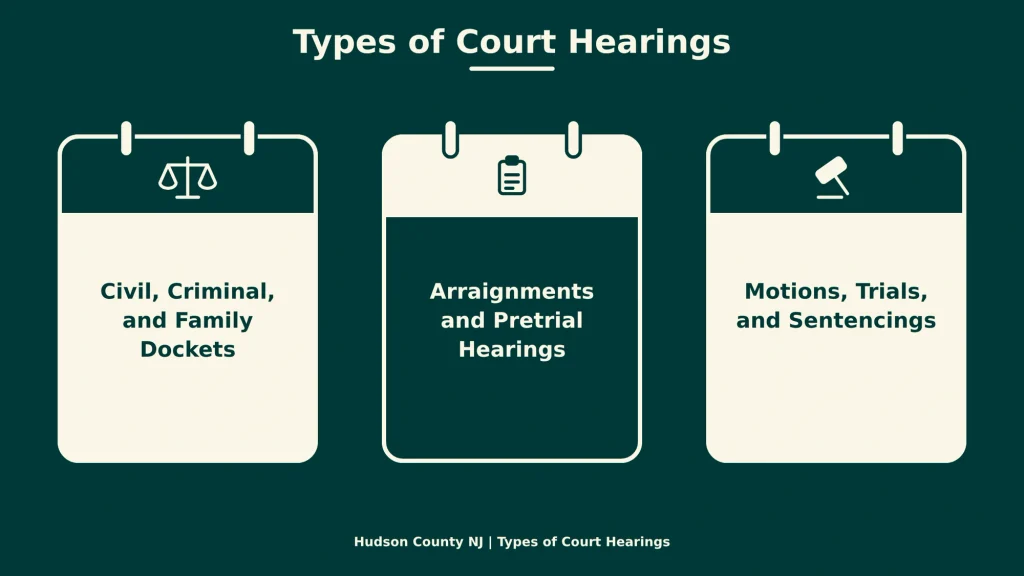
New Jersey courts use different dockets and hearing labels for civil, criminal, and family matters. The label explains the scheduled procedural event, but it does not describe every issue in the case. Read the written notice for required appearances and the court’s explanation of any special procedure.
Civil, Criminal, and Family Dockets
A civil docket can carry conferences, motions, and trial dates arising from disputes between private parties. A criminal docket can carry arraignments, pretrial events, trials, and sentencing dates. A family docket can carry case-specific motions and conferences involving family-law issues. The exact label depends on the court’s calendar and the stage of the case.
These categories have different rules for attendance and records. A criminal or family hearing may limit public viewing, and a judge may close a session under law or court order. The hearing type does not tell a visitor whether they may attend. Ask the court about public participation before traveling, especially for a sensitive matter or a proceeding involving children.
Arraignments and Pretrial Hearings
An arraignment is the formal criminal-stage appearance at which the court and defendant address the charges and the defendant’s plea. A pretrial hearing may deal with discovery, motions, plea issues, or trial readiness, depending on that court’s practice and the order for the hearing. The calendar label may be broad, so the appearance notice controls what must be addressed.
Neither label grants permission to skip the hearing. A continuance request, plea, or trial plan may need action through counsel and the court’s stated process. For a person without counsel, contact the court before the date rather than relying on a family member or an old calendar entry to decide whether appearance is excused.
Motions, Trials, and Sentencings
A motion hearing gives the judge an occasion to consider a requested order or ruling. A trial date concerns the stage at which the parties present the case for decision. A sentencing date follows a conviction or other sentencing referencing verified court records databases and event and places the sentencing question before the court These descriptions explain the labels; they do not predict the outcome.
A listed courtroom is the place assigned for that particular event. A related motion may occur before a judge who will not handle the trial, and a sentencing may occur under a different courtroom assignment. The judge and courtroom fields on each date remain the best scheduling data shown in the calendar.
Schedule Changes and Remote Hearings
A court schedule can change after the morning calendar is posted. Some changes appear as a new date, a different time, another courtroom, a different judge, or a status code. The change may also come through a written notice or order before the online listing catches up. For that reason, use the latest dated court source that applies to the parties.
Rescheduled and Continued Hearings
A rescheduled event has moved to a different time, date, courtroom, or judge. A continued hearing has been postponed so the court can address it on a later date. The calendar may show the change through the status code, a replacement entry, or both. Search the case number again rather than assuming the first line remains current.
Keep every notice associated with the case, and compare dates in the order of receipt. A printed calendar or old screenshot has no continuing force. A schedule listing does not replace service of a summons, notice, or order, and it does not excuse a missed appearance. If a last-minute change is unclear, contact the court or the judge’s chambers before the scheduled time.
In-Person Attendance Rules
For a physical hearing, follow the courtroom, floor, and building instructions in the calendar entry. Plan for courthouse screening and navigation, and bring the case papers and identification required by posted security rules. The court’s posted directions control entrance procedures, which can change from one hearing date to another.
Attendance at a public hearing does not create a right to record, speak, or interrupt. A judge may limit attendance or close part of a proceeding. If you plan to attend, check the listing for status notes and ask the court about public viewing, language needs, or disability accommodations before the hearing.
If a scheduled entry has no remote link, do not assume the hearing is remote. If it has a link, do not assume every person may join. The judge’s instructions control the participation method.
Virtual Hearing Links
A virtual-hearing link on the official calendar may lead to a test page, waiting room, or hearing platform. It does not by itself show that the session is open to the public. Some judges limit public participation, hold private conferences, or remove public observers, even when the matter appears on the calendar.
Use only a link shown in the current official listing. A forwarded link may be outdated, and sharing a case-specific link can expose private information. Keep the case number and date ready, test the camera and microphone before joining, and have the court’s contact method available if the page fails.
- Open the link from the current listing and check that the case number matches the matter.
- Test the camera, microphone, speaker, and network connection before the hearing time.
- Join early enough to resolve sign-in, waiting-room, or audio problems.
- Mute the microphone when not speaking and keep the device away from unrelated conversations.
- Keep the written hearing notice open for the judge’s instructions and any appearance requirements.
- If the link fails, use the court contact listed at the end of this page and follow the written notice rather than posting about the failure publicly.
Schedule Accuracy and Missing Entries
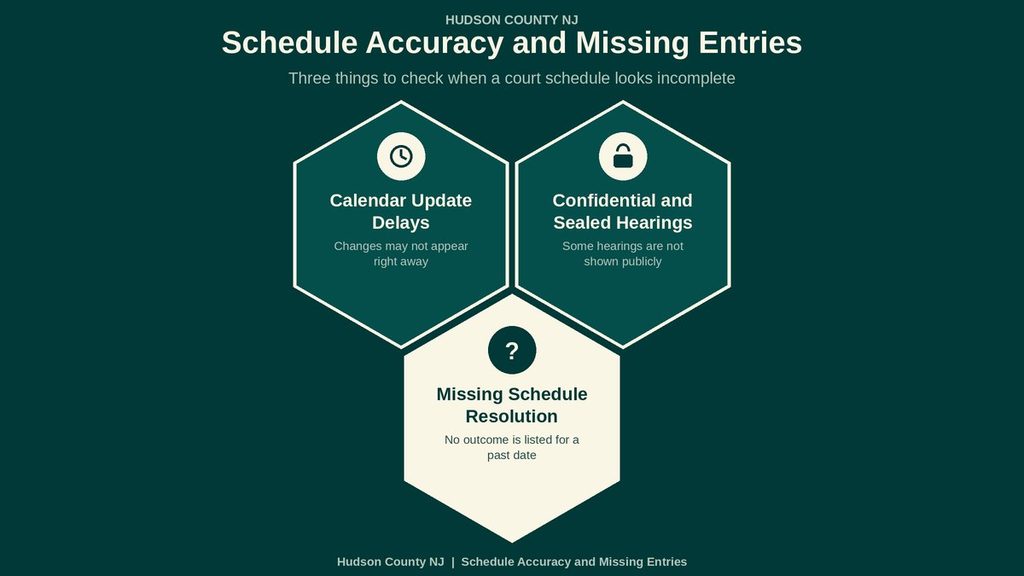
Accuracy depends on when the calendar was posted and whether a later court action has changed the event. An official result gives the best schedule data available at that moment, not a promise that the date will remain fixed. A reader with a known matter should check both the calendar and the papers received for that case.
Calendar Update Delays
The New Jersey Judiciary posts court calendar changes each morning. A later continuance, courtroom swap, emergency closure, or other scheduling action may appear after that posting. The court’s written notice may reach parties before the website reflects the change. An early-morning calendar can therefore be accurate when opened and outdated hours later.
Check the calendar again on the hearing day, especially after a weekend, court holiday, or notice of an operational change. Do not rely on a search result kept in a browser’s history. Printed schedules and saved lists are snapshots and should carry the date on which the person obtained them.
Confidential and Sealed Hearings
A confidential or sealed notation limits public view. The calendar may still show a date, time, courtroom, or case identifier while withholding party names or case facts. That notation does not reveal the sealed content, and a visitor cannot treat missing data as permission to discuss or publish the matter.
Sealed records are not the same as an unlisted hearing. A court may close a proceeding without sealing the whole case, or it may seal a case while keeping a brief calendar event. If a person needs a protected document, ask the court about the proper request process and any fee or authorization needed. The rules and cost depend on the record requested.
Missing Schedule Resolution
A missing event does not by itself prove that a hearing was canceled. The matter may sit on another calendar, use a different court or judge, fall outside the selected date, carry a protected listing, or have been added after the reader checked. Administrative removal can also leave a party without a public entry. Treat each possibility as a reason to check, not as a conclusion.
Court Calendar Records and Case Docket Differences
A court calendar and a case docket answer different questions. The calendar centers on a scheduled event; the docket centers on the case record and its history. Keeping those roles clear prevents a date listing from being treated as proof that every paper in the case is available on the site.
The calendar may refresh on a daily posting cycle, while a docket entry reflects a recorded court event and the paper associated with it. Different dates can appear in each source because they serve different purposes. Use the court calendar for the next listed appearance and the case papers or docket for the legal record. A request for a certified or protected copy follows its own court process.
Contact Details
For questions about court records, case information, or document access, contact the New Jersey Superior Court, Hudson Vicinage, using the details below. Keep the case number, party names, and relevant filing dates available when making an inquiry. Contact the court office to confirm record availability, access procedures, and any applicable fees.
- New Jersey Superior Court, Hudson Vicinage
- Hudson County Administration Building: 595 Newark Avenue, Jersey City, NJ 07306
- Main court phone: (201) 748-4400
- Office hours: Mon – Fri, 8:30 a.m. – 4:30 p.m.
- Hudson Vicinage official page: https://www.njcourts.gov/courts/vicinages/hudson
Frequently Asked Questions
The court calendar shows upcoming hearings, docket numbers, judges, and courtroom locations. Accessing this schedule helps attorneys, parties, and the public plan visits, avoid conflicts, and stay informed about case progress. New Jersey’s online system updates daily, so users get the latest information directly from the judiciary.
How can I search the New Jersey court calendar by case number?
Visit the NJ Judiciary website and select the “Court Calendar Search” link. Enter the full docket number in the case‑number field, choose the appropriate vicinage, and click Search. The results list the hearing date, time, judge, and courtroom. Write down the details or print the page for reference. If the case does not appear, confirm the number with the clerk’s office.
Where do I find the Hudson County court calendar for a specific judge?
Open the Hudson Vicinage page on the NJ Courts site. Use the “Search by Judge” option, type the judge’s name, and submit. The system returns all scheduled hearings assigned to that judge, including dates, times, and case numbers. Bookmark the page to check for changes before each visit.
Can I look up upcoming court dates using a party’s name?
Yes. On the calendar search form, select the “Party Name” field, type the full name, and press Search. The list shows each hearing involving that party, with docket numbers and courtroom details. Review the list to identify relevant dates and verify any conflicts with personal calendars.
What should I do if a hearing listed on the calendar is missing or incorrect?
Contact the clerk’s office at the Hudson County Administration Building, phone (201) 748‑4400, during business hours. Provide the docket number and describe the discrepancy. The clerk can confirm the official schedule and correct any errors in the online system. Keep a note of the confirmation for future reference.
How do I use the court calendar to plan a visit for multiple hearings on the same day?
Search each case individually or use the “Date” filter to view all hearings on a chosen day. Write down the courtroom numbers and start times, then map the route within the courthouse. Arrive early for the first hearing, and allow at least ten minutes between sessions to change rooms. This approach reduces stress and ensures you attend every scheduled appearance.